
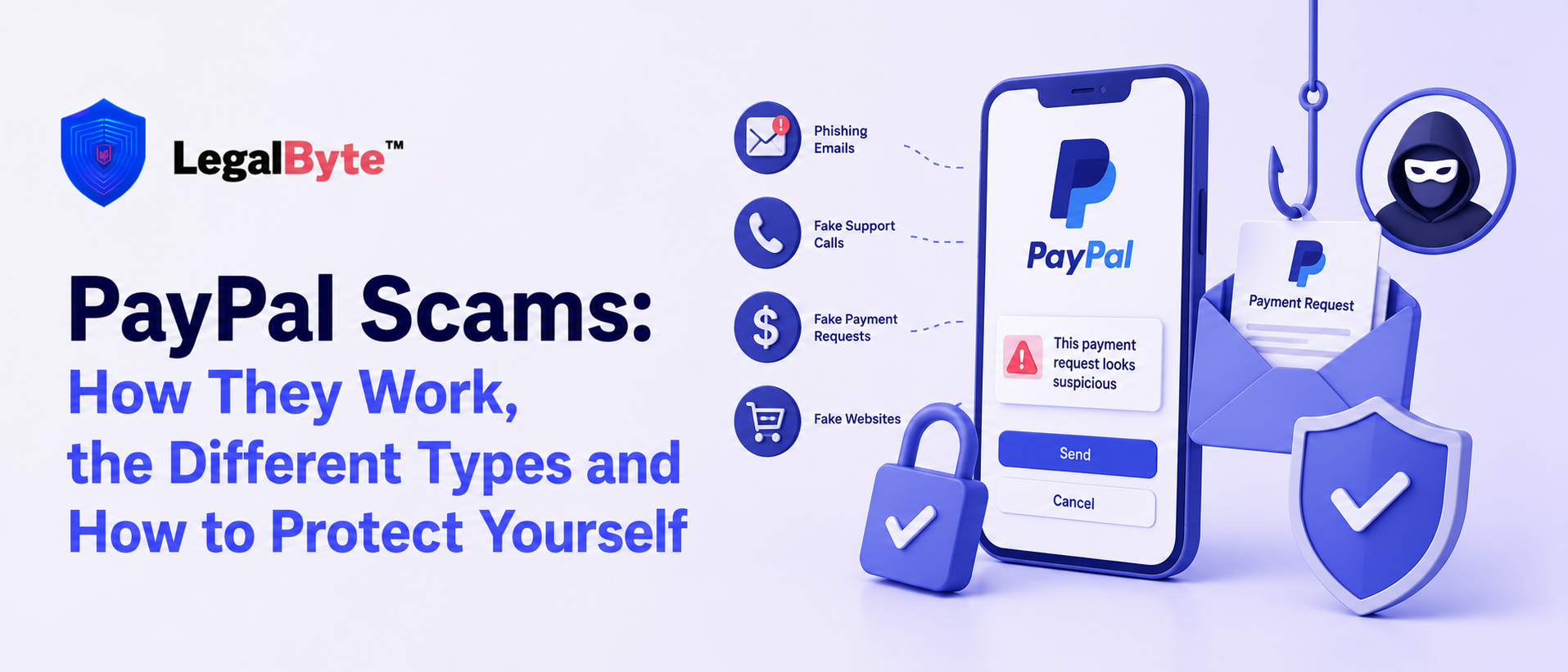
PayPal is one of the world’s most widely used online payment platforms, which also makes it a frequent target for scammers. A PayPal scam can take many forms: a fake email claiming there is a problem with your account, an unexpected invoice for a purchase you never made, a fraudulent buyer asking you to refund an overpayment, or a scammer impersonating PayPal customer support.
One of the reasons these scams can be particularly convincing is that not every suspicious PayPal-related message is a completely fake email. Scammers can sometimes abuse legitimate PayPal features, such as invoices and money requests, to send real PayPal notifications containing fraudulent messages or phone numbers. PayPal specifically warns users about unexpected invoices or money requests that contain alarming messages and encourage the recipient to call a number provided by the sender.
This guide explains the most common PayPal scams, how they work, the warning signs to look for, and what to do if you have already sent money or shared information.
What Is a PayPal Scam?
A PayPal scam is any fraudulent scheme that uses PayPal’s name, payment system, invoices, emails, money requests or reputation to trick someone into sending money, revealing personal information or giving a criminal access to an account or device.
The victim may be:
- A PayPal customer.
- An online buyer.
- A seller on eBay, Facebook Marketplace, Vinted or another platform.
- A small business.
- Someone who does not actively use PayPal but receives a fake PayPal notification.
The scammer’s objective can vary. They may try to:
- Steal your PayPal login details.
- Obtain your bank or card information.
- Convince you to send money.
- Trick you into paying a fake invoice.
- Make you ship an item without receiving payment.
- Gain remote access to your computer or phone.
- Use stolen funds to create an overpayment scam.
- Manipulate you into using a payment method with limited protection.
PayPal itself distinguishes between unauthorised fraud, where someone gains access to an account or payment method, and scams where the victim is manipulated into authorising a payment.
The Different Types of PayPal Scams
1. The Fake PayPal Email Scam
The fake PayPal email scam is one of the most common variations.
You may receive an email claiming:
- Your PayPal account has been limited.
- Someone has logged into your account.
- A suspicious payment has been detected.
- Your account will be suspended.
- You need to confirm your identity.
- Your payment has been declined.
- You have received money.
- You need to update your bank or card details.
The email usually includes a button such as:
Confirm Your Account
Review Activity
Restore Access
Cancel Payment
Verify Now
Clicking the link may take you to a fake PayPal website designed to steal your login credentials.
Warning signs
Look out for:
- An unexpected request to log in.
- Pressure to act immediately.
- Misspellings or unusual wording.
- A suspicious sender address.
- A website address that is not an official PayPal domain.
- Requests for information that you would not normally provide.
- Unexpected attachments.
Do not rely solely on the appearance of the email. Instead of clicking a link, open PayPal directly through the official app or website and check your account there.
PayPal advises users not to reply to suspicious messages, click suspicious links, download attachments or call phone numbers included in suspicious communications.
2. The Fake PayPal Invoice Scam
This scam is particularly deceptive because the notification can sometimes originate from PayPal’s own invoicing system.
You may receive an invoice claiming that you have purchased:
- A computer.
- A smartphone.
- Antivirus software.
- Cryptocurrency.
- A subscription.
- A service you never ordered.
The invoice may say something similar to:
Your account has been charged $499.99. It may then include a message telling you to call a phone number immediately if you did not authorise the transaction.
This is where the real scam begins. The phone number does not belong to PayPal. When you call, the scammer may pretend to be a PayPal employee and attempt to obtain:
- Your PayPal password.
- Bank account details.
- Card details.
- One-time verification codes.
- Remote access to your computer.
- A payment to supposedly “reverse” the transaction.
PayPal specifically warns that invoice and money request scams can involve unexpected invoices containing alarming notes and fraudulent customer service phone numbers.
Important: A Real PayPal Email Does Not Automatically Mean the Invoice Is Legitimate
This is one of the most confusing aspects of the PayPal invoice scam.
A scammer may use PayPal’s invoice or money request features to create a request containing fraudulent information. As a result, the notification itself may be delivered through PayPal even though the invoice is fraudulent.
Community reports have repeatedly highlighted this issue: users receive an apparently genuine PayPal notification, but the scam is contained in the invoice description or the phone number supplied by the sender.
If you receive an invoice for something you did not buy:
Do not pay it. Do not call the phone number. Open PayPal independently and report the request.
3. The PayPal “You Have Been Charged” Scam
This variation is similar to the fake invoice scam.
You receive an email, text message or notification stating that a large amount of money has already been charged to your PayPal account.
The message may say:
- “Your payment has been successfully processed.”
- “Thank you for your purchase.”
- “Your PayPal transaction is complete.”
- “You have been charged €499.”
- “Call us immediately if you did not make this purchase.”
The scam relies on panic. The victim sees a large transaction and immediately calls the number provided in the message.
The scammer then attempts to convince the victim that the payment needs to be “reversed” by:
- Logging into a fake website.
- Providing banking information.
- Installing remote access software.
- Sending money to a “secure account.”
- Purchasing cryptocurrency.
- Providing verification codes.
Never use the contact information contained in an unexpected invoice or suspicious message. Access PayPal independently and use the official contact options available inside the platform.
4. The PayPal Customer Service Scam
In this scam, criminals pretend to be PayPal customer support.
They may contact you through:
- Phone calls.
- Fake invoices.
- Emails.
- Text messages.
- Social media.
- Search engine advertisements.
- Fake customer support websites.
The scammer may claim that:
- Your account has been hacked.
- A suspicious transaction has occurred.
- Your money is at risk.
- You need to verify your identity.
- Your account will be closed.
- They need remote access to fix a problem.
A genuine support representative should not require you to send money to “secure” your account.
The remote access variation
A particularly dangerous version involves the scammer asking you to install remote access software.
They may say they need access to:
- Cancel a payment.
- Remove malware.
- Secure your PayPal account.
- Process a refund.
Once the scammer gains access to your device, they may attempt to access your:
- Online banking.
- Email.
- Cryptocurrency wallets.
- Saved passwords.
- Financial accounts.
Disconnect the session immediately if you have allowed a suspicious person to access your device.
5. The PayPal Phishing Scam
Phishing is designed to steal your login credentials. The scammer sends a message directing you to a fake PayPal login page.
The page may look almost identical to the genuine PayPal website.
After entering your:
- Email address.
- Password.
- Phone number.
- Verification code.
the information may be sent directly to the scammer.
The criminal may then attempt to access your account immediately, especially if they have also obtained a two-factor authentication code.
How to protect yourself
Do not log into PayPal through a link in an unexpected email or text message.
Instead:
- Open your browser or the PayPal app yourself.
- Log in normally.
- Check for alerts or notifications inside your account.
PayPal identifies phishing across email, text messages, phone calls and copycat websites as a method used to obtain personal information.
6. The PayPal Overpayment Scam
This scam commonly targets online sellers.
Imagine you are selling an item for €200.
A buyer sends €500 and says:
“I accidentally sent too much. Please send me the €300 difference.”
Alternatively, they may claim:
- The additional money is for shipping.
- The additional payment is a bonus.
- They made a mistake.
- You need to send part of the money to a courier.
The original payment may later be reversed because it was funded using a stolen card or compromised account.
You may then lose:
- The item you sold.
- The money you refunded.
- Shipping costs.
- The original payment.
PayPal specifically warns sellers about buyers who deliberately overpay and then request that the difference be returned, noting that the original payment may later be reversed if stolen financial information was used.
What should you do?
Do not send a separate payment to the buyer. If a transaction appears suspicious, cancel or refund it through the original transaction where appropriate and verify the status directly within your PayPal account.
7. The Fake PayPal Payment Confirmation Scam
This scam frequently targets people selling goods online.
The buyer agrees to purchase your:
- Phone.
- Watch.
- Designer item.
- Computer.
- Vehicle.
- Furniture.
- Collectible.
They then send you a screenshot or email showing that payment has supposedly been made.
The email may claim:
Payment pending.
or:
Your funds will be released once you provide tracking information.
or:
The buyer has paid. Please ship the item to complete the transaction.
The problem is that no payment has actually been received.
The scammer is hoping that you will ship the item before checking your actual PayPal account.
The golden rule for sellers – Never ship an item based solely on an email, screenshot or message from the buyer.
Log into your PayPal account independently and verify that the transaction actually exists and understand its status before shipping.
A genuine payment can have a pending status for legitimate reasons, so “pending” alone does not automatically mean a scam. The key question is whether the transaction genuinely appears in your account and whether the message asking you to ship or take action is consistent with the transaction details.
8. The “Pay a Fee to Receive Your Money” Scam
A scammer may claim that they have sent you money, but you need to pay an additional fee before you can receive it.
They may call it:
- An account upgrade fee.
- A business account fee.
- A clearance fee.
- A verification fee.
- An international transfer fee.
For example, you may be selling an item for €300 and receive a fake email stating:
The buyer has sent €300, but you must send €100 to upgrade your PayPal account before the funds can be released.
This is a common advance-fee style scam. Do not send money in order to receive money from an unknown buyer.
Verify every transaction directly within your PayPal account.
9. The PayPal Friends and Family Scam
Scammers may ask you to use the Friends and Family payment option rather than paying through a normal commercial transaction.
They may say:
- “This avoids fees.”
- “I only accept Friends and Family.”
- “It is faster.”
- “I have a problem with Goods and Services.”
- “Send it this way and I’ll give you a discount.”
This is particularly risky when you are buying from someone you do not personally know.
PayPal uses Friends and Family payments differently from commercial transactions, and the protections available may not be the same. PayPal itself gives the example of a buyer sending money for goods through Friends and Family and then not receiving the item.
Never let a stranger pressure you into using a payment method simply because they claim it is easier or cheaper.
10. The PayPal Refund Scam
In a refund scam, the criminal contacts you and claims that:
- You are owed a refund.
- You were overcharged.
- A subscription has been cancelled.
- A payment was reversed.
- PayPal owes you money.
They then ask you to:
- Confirm your banking details.
- Log into a website.
- Provide a verification code.
- Allow remote access to your device.
- Send money temporarily to “verify” your account.
The goal is not to give you money. The goal is to steal money or information. Always check your PayPal account directly to see whether a refund has actually been issued.
11. The PayPal Account Limited or Suspended Scam
You receive a message saying:
Your PayPal account has been permanently limited.
or:
Your account will be suspended within 24 hours.
The email provides a link to “restore” or “verify” your account.
This is usually a phishing attempt.
The purpose is to create urgency so that you click before thinking.
If you receive an account warning, do not click the link in the message. Open PayPal directly and check whether the notification actually appears inside your account.
12. The PayPal Text Message Scam
PayPal scams are not limited to email.
You may receive an SMS claiming:
- A payment was made.
- Your account was accessed.
- Your account is limited.
- You need to verify your identity.
- A refund is waiting.
- You need to call PayPal immediately.
The message may contain a link to a fake website or a phone number controlled by scammers.
Do not click the link. Do not call the number. Instead, open the official PayPal app and check your account.
13. The PayPal Buyer Scam Targeting Sellers
Some PayPal scams specifically target sellers.
A scammer may:
- Agree to purchase your item.
- Send a fake payment confirmation.
- Ask you to ship immediately.
- Create pressure by claiming they need the item urgently.
- Disappear after you send the item.
Other variations include:
- Asking you to send the item to a different address.
- Asking you to refund money to another account.
- Claiming that the payment is being held until you provide additional information.
- Sending payment from a compromised account.
- Attempting to dispute or reverse a legitimate transaction.
Always verify the payment and carefully review the transaction details inside your account before sending the item.
14. The PayPal Shipping Scam
The buyer may tell you that they have already paid for:
- Shipping.
- Insurance.
- A courier.
- Delivery fees.
They may then ask you to send money to a shipping company or use a courier chosen by them. This can overlap with the overpayment scam.
For example: “I paid €1,000 instead of €700. Please send the extra €300 to my shipping agent.”
Once you send the separate payment, the original transaction may be reversed or may never have existed.
PayPal specifically warns about overpayment scams involving requests to send shipping costs or refunds to another party.
15. The PayPal Crypto Scam
A scammer may send an invoice claiming that you have purchased cryptocurrency.
The invoice may state that Bitcoin or another digital asset has been purchased and that you need to call immediately if the transaction was not authorised.
The phone number leads to a fraudulent call centre. PayPal specifically warns users not to send money to a cryptocurrency wallet mentioned in a suspicious invoice or money request.
The scammer may ultimately attempt to convince the victim to:
- Send cryptocurrency.
- Share wallet information.
- Transfer funds to a supposedly secure wallet.
- Install software.
- Reveal banking information.
How to Tell if a PayPal Message Is a Scam
Ask yourself the following questions:
Did I expect this message?
An unexpected invoice, payment request or account warning should be treated with caution.
Is someone trying to create urgency?
Messages saying:
- Act now.
- Call immediately.
- Your account will be closed.
- You have been charged.
- Your money is at risk.
are designed to make you react emotionally.
Does the message ask me to call a number?
A fraudulent phone number inside an invoice or email is a major warning sign.
Does the transaction actually appear in my PayPal account?
Do not rely on the email. Log in directly and check.
Is someone asking me to send money to receive money?
This is a major red flag.
Is the buyer asking me to send money separately?
Be particularly cautious about refunds, shipping payments and overpayments.
Are they asking for a password or verification code?
Never share your PayPal password or one-time security codes with an unsolicited caller or sender.
What to Do If You Receive a PayPal Scam
If you receive a suspicious email, invoice or money request:
- Do not pay the invoice.
- Do not click suspicious links.
- Do not call phone numbers included in the message.
- Do not reply to the sender.
- Log into PayPal independently.
- Check whether the transaction actually exists.
- Report suspicious invoices or requests through your account.
- Forward suspicious PayPal emails or websites to phishing@paypal.com.
- Delete the suspicious message after reporting it.
These steps are consistent with PayPal’s published guidance for suspicious invoices, money requests and phishing attempts.
What Should You Do If You Already Paid a PayPal Scammer?
Act as quickly as possible.
1. Check the transaction
Log into PayPal directly and review the payment details.
2. Report the transaction
Use the available reporting or dispute options inside your PayPal account.
3. Contact your bank or card provider
If a bank account or card was involved, contact the financial institution and explain that you believe you have been the victim of fraud.
4. Change your PayPal password
If you entered your login credentials on a suspicious website, change your password immediately.
Also change the password for your email account if it uses the same or a similar password.
5. Secure your account
Review:
- Login activity.
- Linked bank accounts.
- Linked cards.
- Email addresses.
- Phone numbers.
- Automatic payments.
- Recent transactions.
6. Enable stronger account security
Use a unique password and enable available two-factor authentication or other account security features.
7. If you gave a scammer remote access
Disconnect the device from the internet and seek qualified technical assistance. Change passwords from a separate, trusted device and review your financial accounts.
Final Advice: Never Trust the Message Alone
The most important rule for avoiding a PayPal scam is simple:
Do not trust an unexpected email, invoice, screenshot, text message or phone call as proof that a transaction is genuine.
Instead: Open PayPal yourself. Check your account. Verify the transaction.
Do not call numbers included in suspicious invoices. Do not send money to “unlock” a payment. Do not refund an overpayment through a separate transaction. Do not ship an item simply because someone has sent you a convincing-looking payment confirmation.
If you believe you have been the victim of a PayPal scam, keep all evidence and report the incident as quickly as possible.
If you have lost money to a PayPal scam or need help evaluating a suspected fraud, contact LegalByte via contact@legalbyte.io for an initial assessment and guidance on the available reporting and recovery options.
PayPal Scam Frequently Asked Questions
Is this PayPal email real or a scam?
Do not determine this solely by looking at the email design. Some scams can imitate PayPal emails, while fraudulent invoices or money requests may also generate legitimate-looking notifications through PayPal’s systems.
Do not click links in the message. Log into PayPal directly and check whether the transaction, invoice or account alert actually exists.
Can you get a real PayPal email for a scam invoice?
Yes. This is one reason PayPal invoice scams can be confusing. An invoice or money request can contain fraudulent information, including a phone number intended to lead you to a scammer.
PayPal specifically warns about unexpected invoices and requests containing alarming messages.
Why did I receive a PayPal invoice for something I never bought?
A scammer may have sent an invoice or money request to your email address.
The invoice does not necessarily mean that you have been charged.
Do not pay it. Log into PayPal directly to check your account and report the unwanted request.
I received a PayPal invoice saying I bought Bitcoin. Is it a scam?
If you did not purchase Bitcoin or another cryptocurrency, treat the invoice as suspicious.
Do not pay the invoice and do not call any phone number included in the message. Verify your account directly through PayPal.
PayPal also warns users not to send money to cryptocurrency wallets listed in suspicious invoices or money requests.
Is the PayPal customer service number in the invoice real?
Do not assume so.
Scammers frequently include their own phone numbers in fraudulent invoices or messages. Use PayPal’s official website or app to find contact options instead.
Can a scammer send me a real PayPal invoice?
A scammer can abuse legitimate invoicing or money request features to send an unwanted request.
This is why receiving a message through PayPal does not automatically mean that the underlying purchase or invoice is legitimate.
Does PayPal send invoices by email?
PayPal may send notifications relating to invoices and payment requests. However, an unexpected invoice can still be fraudulent or be part of a scam.
Always verify the details inside your account before paying.
I received a PayPal payment request. Do I have to pay it?
No. Receiving a payment request does not mean that you must pay it.
If you do not recognise the person or transaction, do not pay it and report it through PayPal.
What does a fake PayPal payment confirmation look like?
It may look like a genuine confirmation email and claim that:
Payment has been sent.
Funds are pending.
You need to ship the item.
You need to provide a tracking number.
You need to pay a fee before receiving the money.
Never ship an item based solely on an email or screenshot. Verify the transaction directly inside your PayPal account.
Is a pending PayPal payment a scam?
Not necessarily. Legitimate transactions can have a pending status.
However, it may be a scam if the buyer sends only an email or screenshot, the payment does not actually appear in your PayPal account, or the message pressures you to ship an item or send money before the transaction is genuinely confirmed.
Can someone scam me through PayPal if I am selling something?
Yes. Sellers can be targeted with fake payment confirmations, overpayment scams, shipping scams, fraudulent refund requests and payments made using compromised financial information.
Always verify the transaction inside your account before shipping.
What is the PayPal overpayment scam?
A buyer deliberately sends more money than the agreed price and asks you to return the difference.
The original payment may later be reversed if stolen financial information was used, leaving you without the item and without the money you refunded.
Should I refund an overpayment with a separate PayPal payment?
Do not immediately send a separate payment simply because a buyer asks you to.
Verify the original transaction and use the appropriate transaction or refund process within PayPal. If the situation appears suspicious, consider cancelling the transaction rather than sending money separately.
Is PayPal Friends and Family safe for buying from strangers?
It can be risky when purchasing goods from someone you do not know because the protections available may differ from those associated with commercial transactions. PayPal itself uses the example of a buyer sending a Friends and Family payment for goods and then receiving nothing.
Will PayPal call me about a suspicious transaction?
Be cautious with unsolicited calls claiming to be from PayPal, especially if the caller asks for personal information, passwords, verification codes, remote access or money.
Do not continue the call using the number provided by the caller. Instead, access PayPal independently and use official contact options.
What should I do if I clicked a fake PayPal link?
Immediately change your PayPal password, especially if you entered your login details.
You should also:
Change your email password if it was reused.
Review recent account activity.
Check linked financial information.
Enable additional account security.
Contact your financial institution if banking or card information was exposed.
What should I do if I gave a PayPal scammer my verification code?
Change your password immediately and review your account for unauthorised changes or transactions.
Contact PayPal through official channels and report the incident.
Can I get my money back after a PayPal scam?
Recovery may depend on how the payment was made, the circumstances of the transaction and how quickly you report the fraud.
Report the transaction to PayPal immediately and contact your bank or card provider where relevant.
Preserve all available evidence, including:
Emails.
Screenshots.
Invoice numbers.
Transaction IDs.
Phone numbers.
Website addresses.
Messages with the scammer.
Where can I report a PayPal phishing email?
PayPal advises users to forward suspicious emails or websites to phishing@paypal.com and then delete the message. Suspicious invoices and money requests can also be reported through the PayPal website or app.